
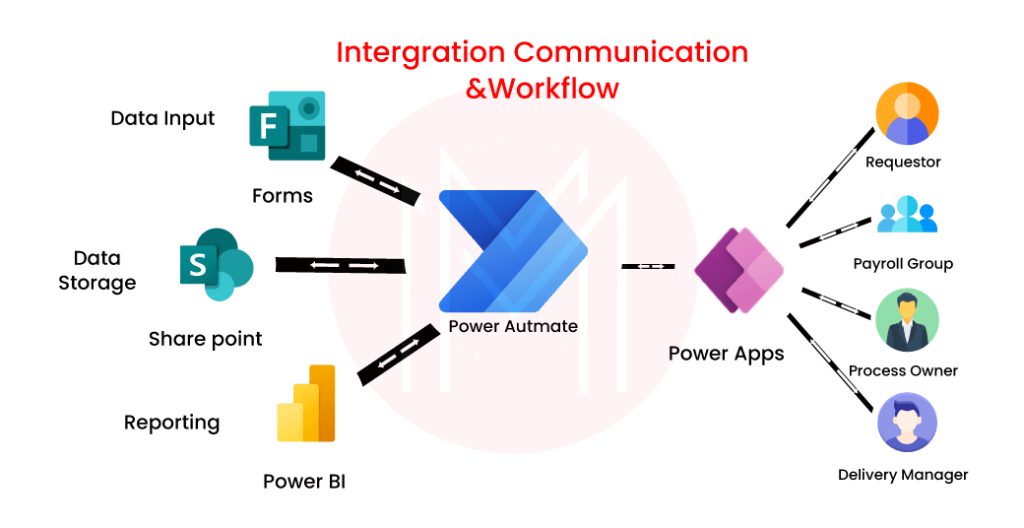
Power Automate, formerly known as Microsoft Flow, is a powerful cloud-based service that allows users to create and automate workflows across multiple applications and services without the need for complex coding. As more organizations embrace digital transformation, the demand for professionals with expertise in Power Automate is increasing rapidly.
If you are preparing for a job interview that involves Power Automate, it is essential to be well-versed in the different aspects of this platform. To help you ace your interview, we have compiled a list of commonly asked Power Automate interview questions that will not only test your knowledge but also help you understand the key concepts and functionalities of this powerful tool.
Whether you are a beginner or an experienced professional, these interview questions will provide you with a comprehensive understanding of Power Automate and help you showcase your skills and expertise confidently during your interview.
See these Power Automate interview questions
- What is Power Automate?
- What are the key components of a Power Automate workflow?
- What are connectors in Power Automate?
- How can you trigger a Power Automate workflow?
- What are the different types of triggers available in Power Automate?
- How can you create a loop in Power Automate?
- What is the purpose of expressions in Power Automate?
- How do you handle errors in Power Automate?
- What are the different types of actions available in Power Automate?
- Can you create custom connectors in Power Automate?
- What is the difference between Power Automate and SharePoint Designer workflows?
- How can you schedule a Power Automate workflow?
- What is the difference between Power Automate and Logic Apps?
- How can you access data from an Excel file in Power Automate?
- What is the purpose of gateways in Power Automate?
- How can you handle approval processes in Power Automate?
- What are the different types of templates available in Power Automate?
- How can you use variables in Power Automate?
- What are the limitations of Power Automate?
- How can you integrate Power Automate with SharePoint?
- What is the role of the Common Data Service in Power Automate?
- How can you send email notifications using Power Automate?
- What is the purpose of the “Apply to each” control in Power Automate?
- How can you handle file attachments in Power Automate?
- What is the difference between a flow and a business process flow in Power Automate?
- How can you create a parallel branch in Power Automate?
- What is the purpose of the “Scope” action in Power Automate?
- How can you connect Power Automate with Power Apps?
- What is the role of the “Get items” action in Power Automate?
- How can you handle API limits in Power Automate?
- What is the purpose of the “Terminate” action in Power Automate?
- How can you trigger a Power Automate workflow based on a specific condition?
- What is the difference between synchronous and asynchronous flows in Power Automate?
- How can you create a custom connector in Power Automate?
- What is the purpose of the “Initialize variable” action in Power Automate?
- How can you send HTTP requests in Power Automate?
- What is the role of the “Filter array” action in Power Automate?
- How can you handle pagination in Power Automate?
- What are the different types of triggers available for SharePoint lists in Power Automate?
- How can you create a condition in Power Automate?
- What is the purpose of the “Compose” action in Power Automate?
- How can you handle parallel branches in Power Automate?
- What is the role of the “Delay” action in Power Automate?
- How can you use expressions to manipulate data in Power Automate?
These Power Automate interview questions cover a wide range of topics and will give you a solid foundation to excel in your interview. Make sure to familiarize yourself with these questions and practice your answers to stand out from the competition and land your dream job in the world of Power Automate.






